Your Release Radar
DevPulse — a release radar for Mac, iPhone and iPad
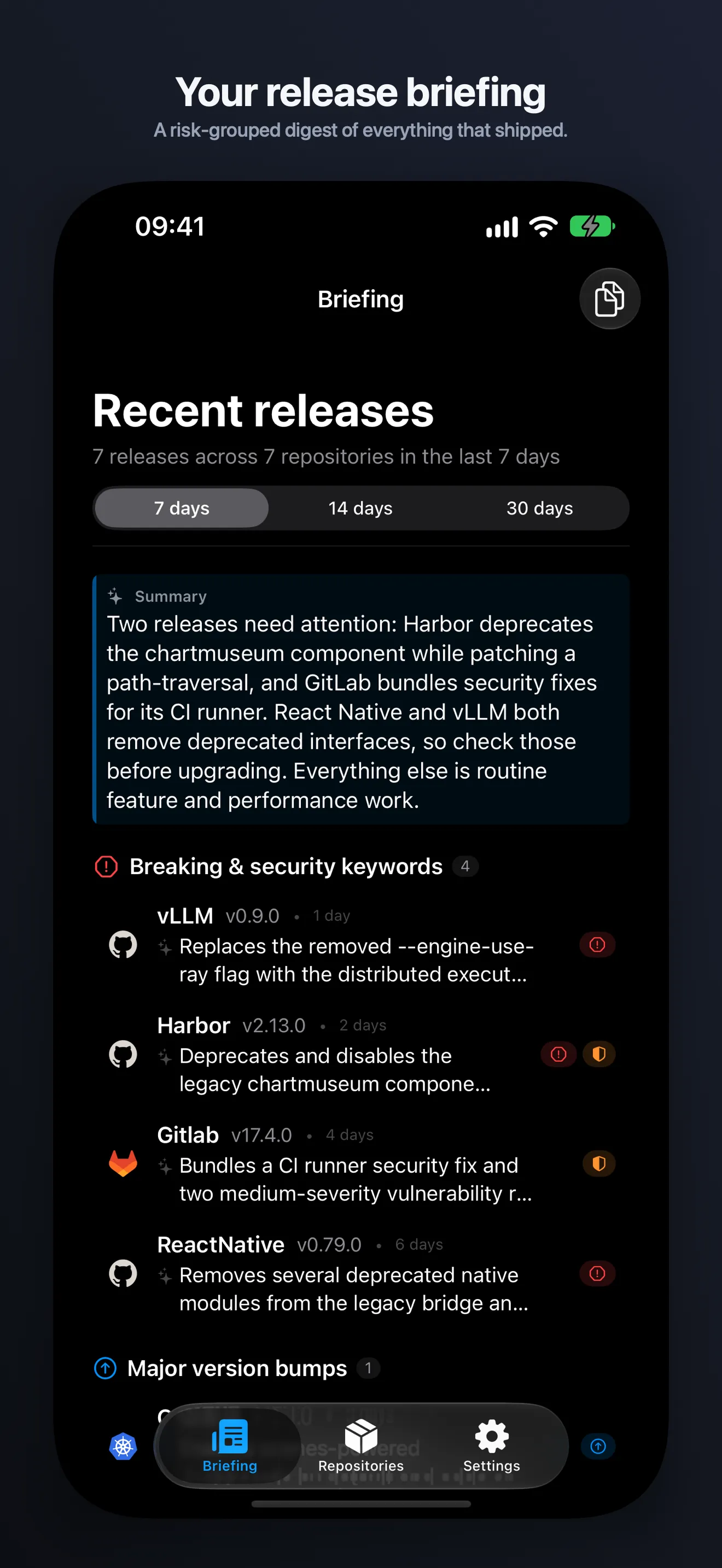
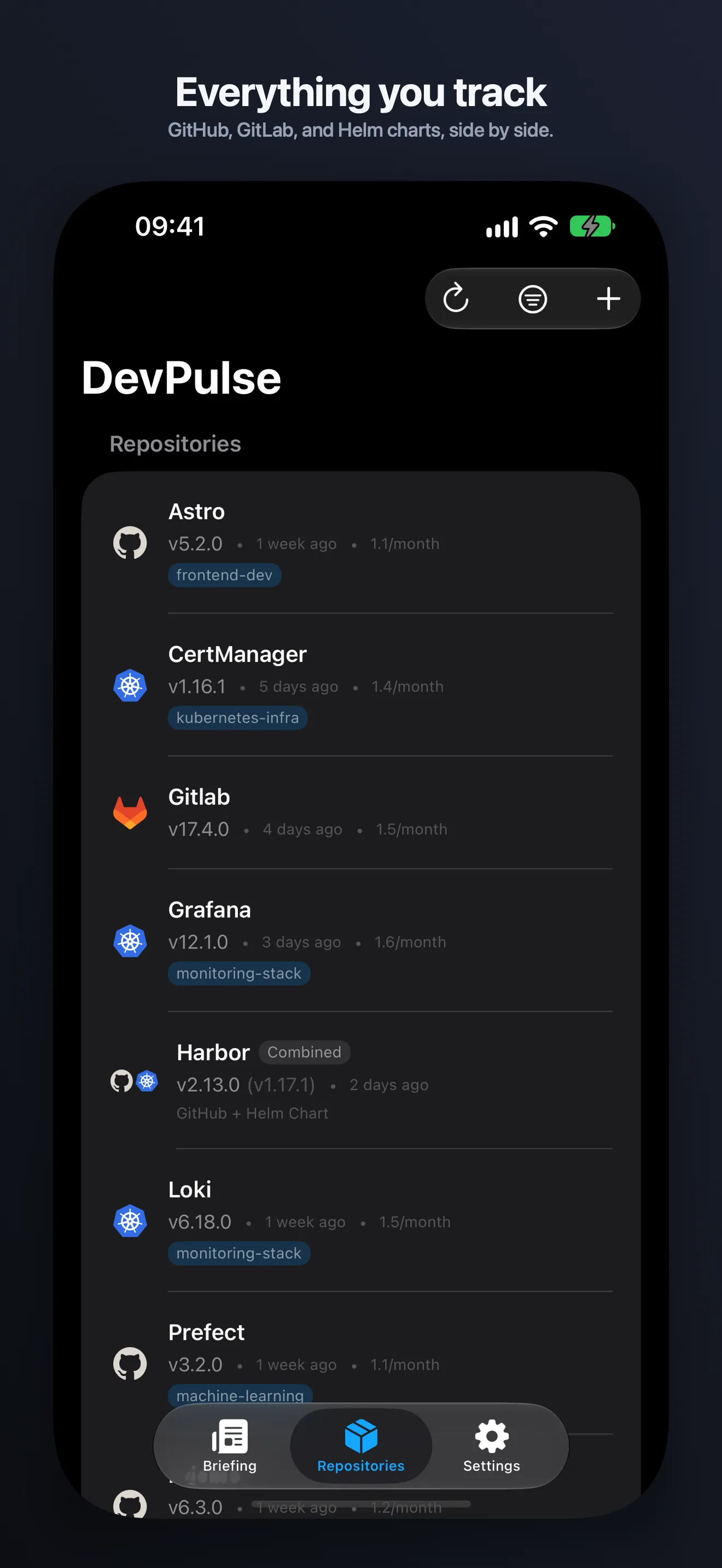
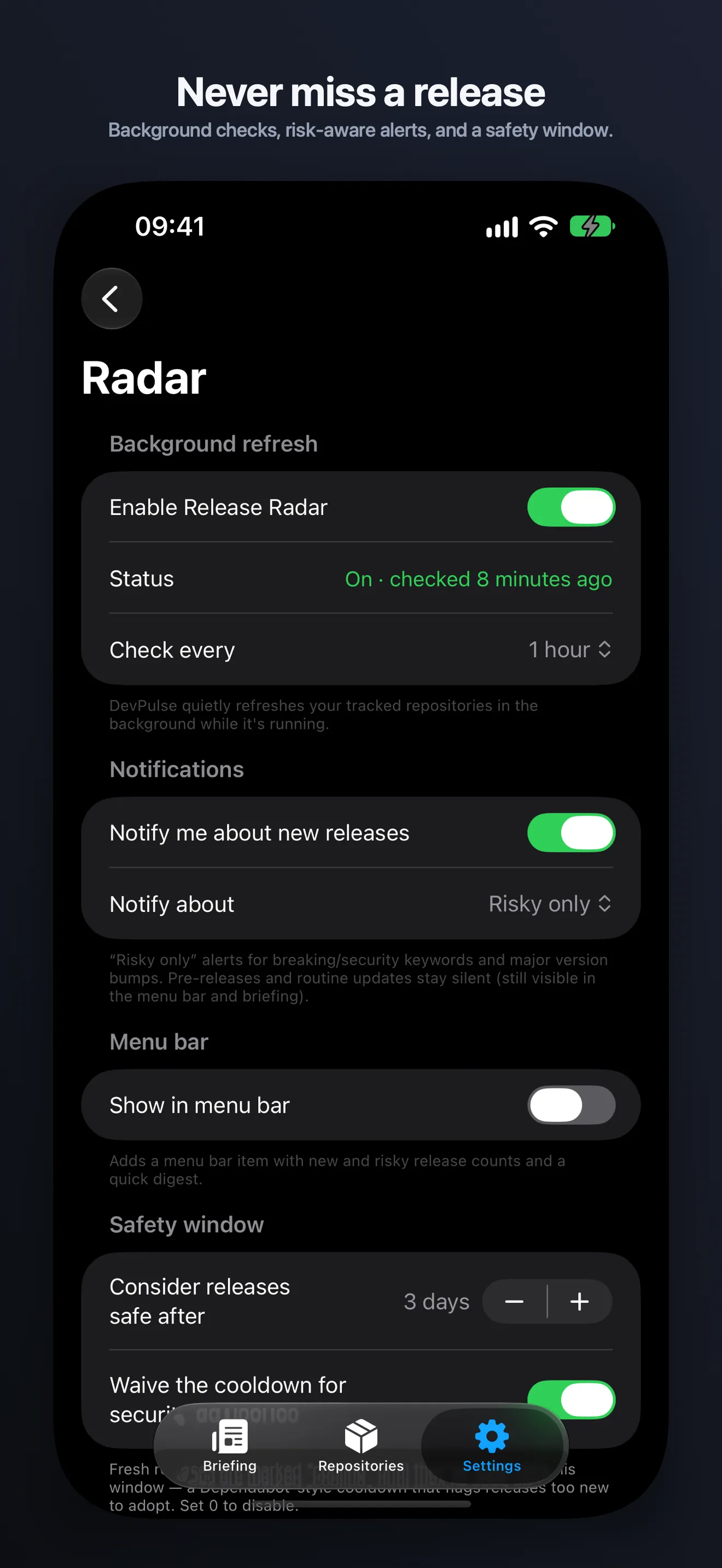
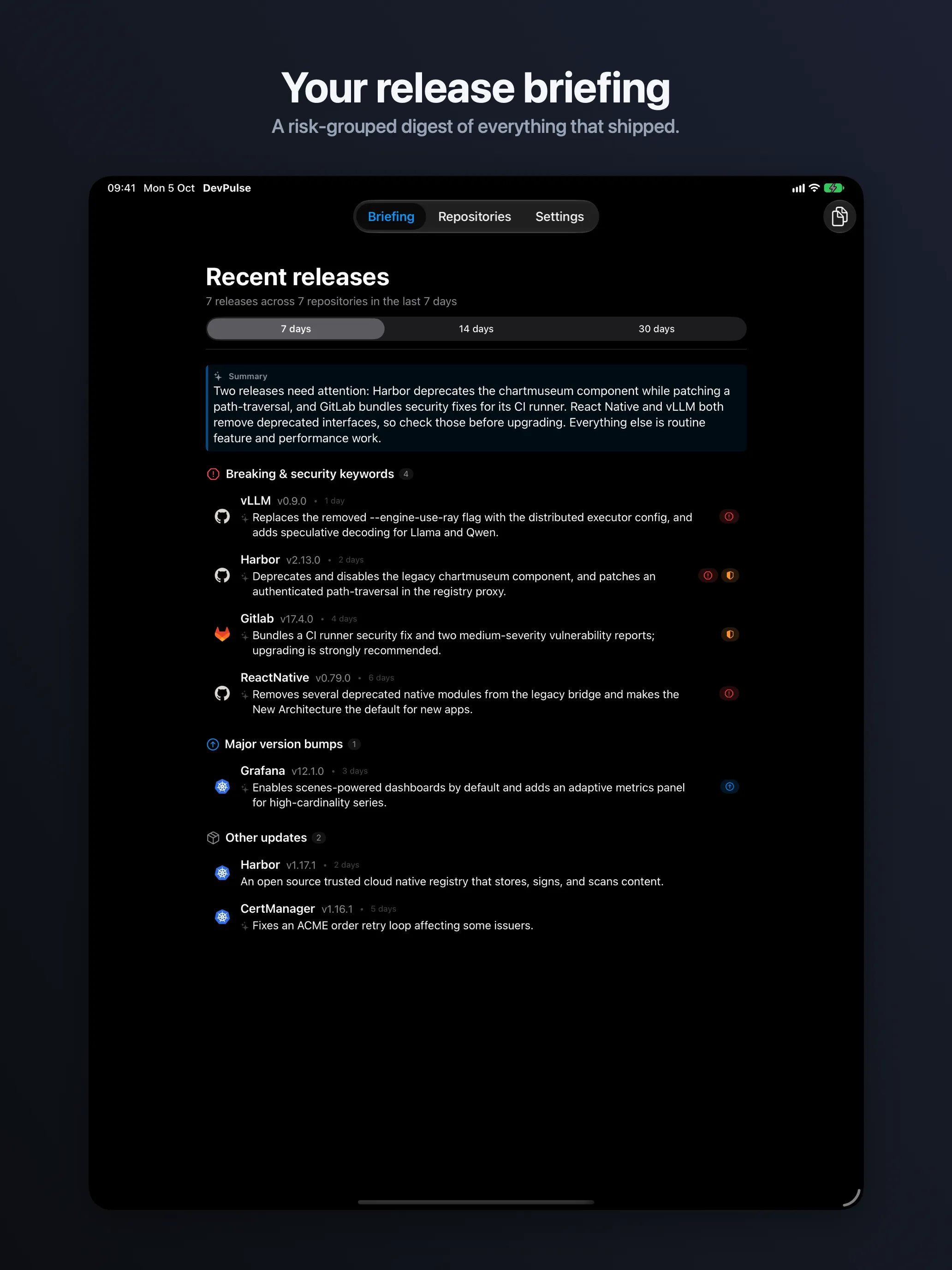
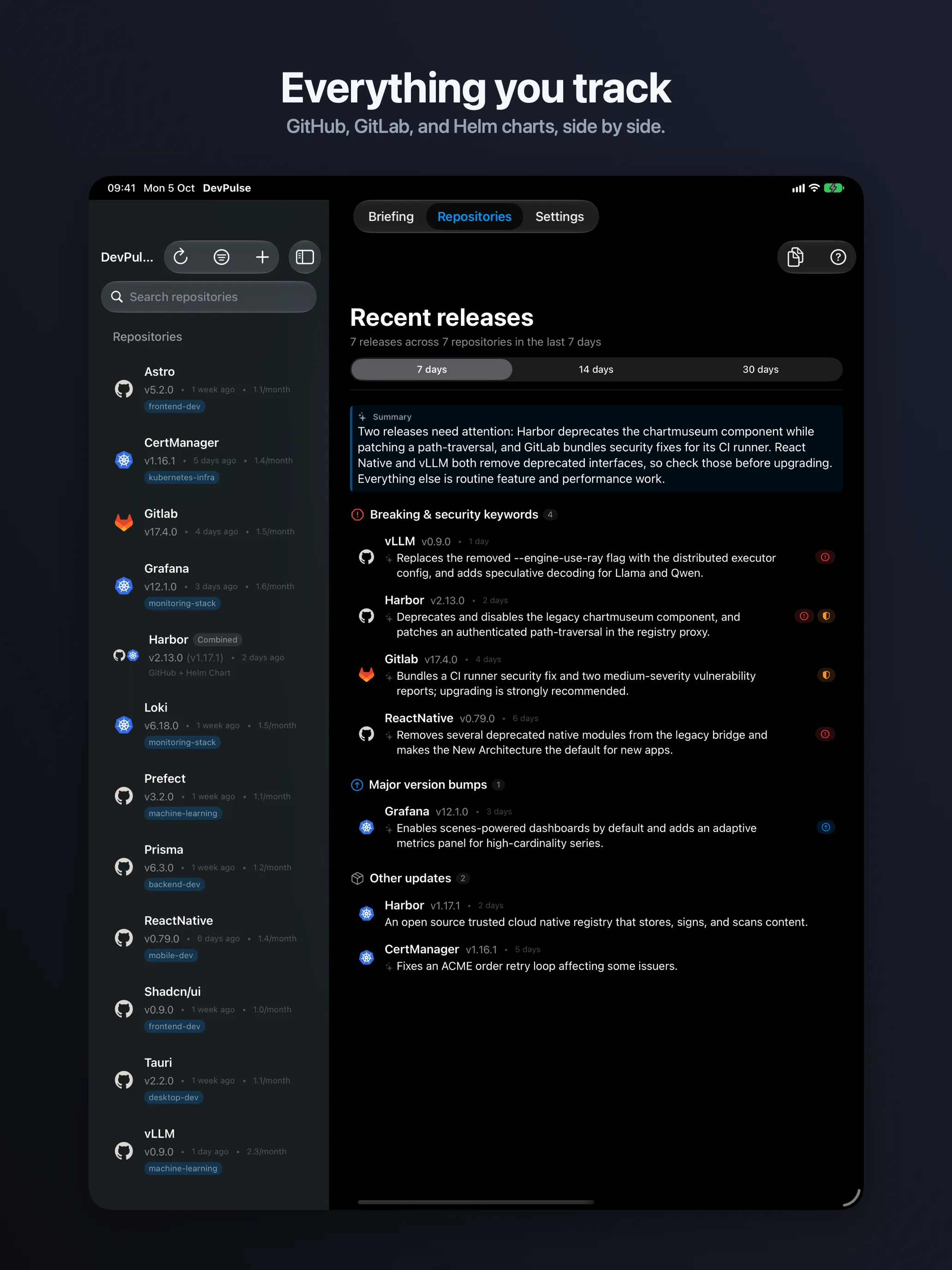
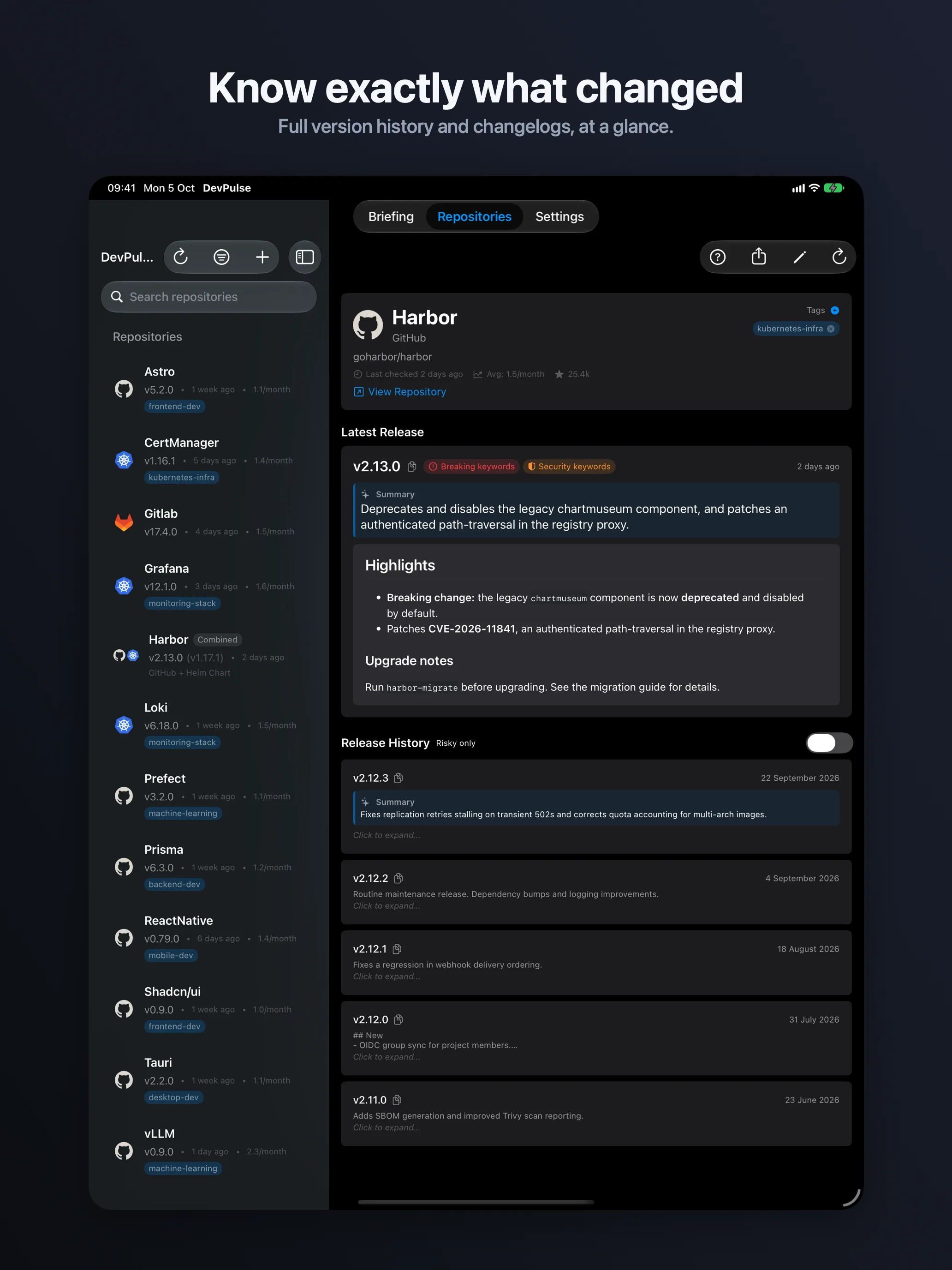
DevPulse tracks GitHub, GitLab and Helm chart repositories and groups what landed by risk — not by time. Apple Intelligence reads the long changelogs for you, entirely on your own device. Native on Mac, iPhone and iPad.
-
Breaking & security (4)
vllm v0.11.2
GHSA confirmed against OSV.dev · CVSS 9.8
-
Major bumps (1)
tauri v3.0.0
Semver-ordered, so old tags stay old
-
Other updates (1)
loki v3.5.9
Still cooling — 9 hours old

01 · The problem
Watching forty repositories is a feed you stop reading.
Every release looks the same in a notification list. A typo fix and a critical advisory arrive with identical weight, three days apart, at the bottom of an inbox. So you check nothing until something breaks in staging.
A watch list, chronological
- astro v5.16.15 9h
- loki v3.5.9 1d
- vllm v0.11.2 2d
- prefect v3.4.24 3d
- react-native v0.83.1 4d
The 9.8 is third from the top, and it looks like the rest.
02 · The briefing
Sorted by consequence, not by clock.
Three tiers, always in the same order. Read the top one, decide, close the app. The window is 7 days on Free, fourteen or thirty with Pro.
-
Tier 1 read first
Confirmed advisories & breaking changes
An advisory confirmed against OSV.dev outranks every other signal — and can waive the cooling window so a security fix stops waiting.
- vllm v0.11.2 CRITICAL 9.8
- harbor v2.14.0 BREAKING
-
Tier 2 plan for it
Major version bumps
Semantic-version ordering decides what "latest" means, so a stale tag or an old pre-release never masquerades as the newest build.
- tauri v3.0.0 from v2.9.0
- grafana v12.3.1 minor
-
Tier 3 later
Pre-releases and everything else
Releases from the last day or two are marked cooling and held back, so you don't ship someone else's bad Tuesday.
- loki v3.5.9 COOLING
- astro v6.0.0-beta.2 pre
Summary · generated on device
Two confirmed advisories this window, both in the ingress path. One breaking config change in Harbor 2.14.0. Everything else is routine.
Breaking & security keywords (4)
- vllm v0.11.2 CRITICAL 9.8 Fixes GHSA-9f8c in the OpenAI-compatible server 2d
- harbor v2.14.0 BREAKING Registry config keys renamed; migration required 4d
- cert-manager v1.19.1 HIGH 7.5 CVE resolved via OSV.dev · webhook validation 5d
Major version bumps (1)
- tauri v3.0.0 New plugin API, v2 shims removed 6d
Other updates (1)
- loki v3.5.9 COOLING · 1d Patch release; query scheduler fixes 9h
03 · On-device summaries
Nine hundred words, read as one.
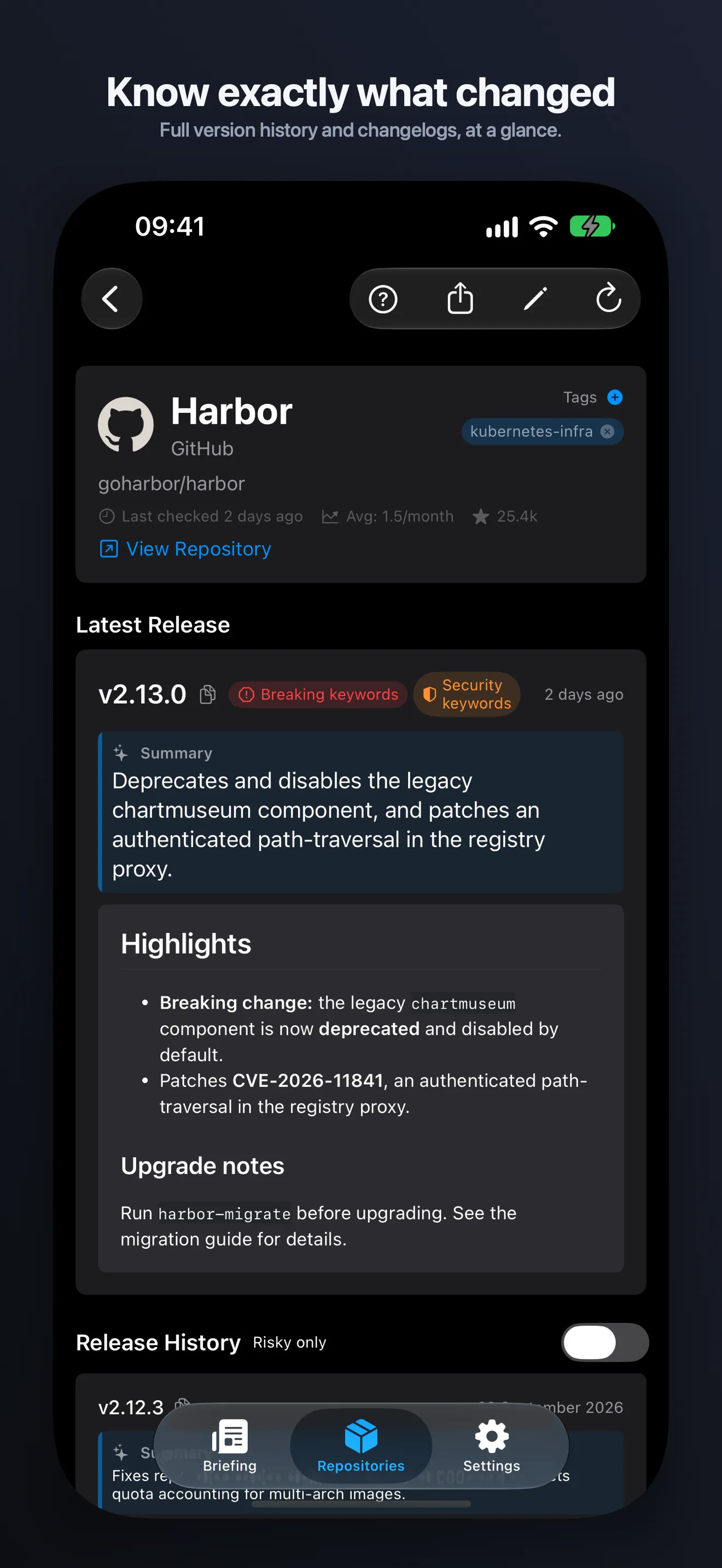
It runs on your Mac, iPhone or iPad and nowhere else. Apple Intelligence condenses a long changelog to a single line and gives the whole window a short digest — and no changelog is ever uploaded, because there is no server to upload it to.
- Marked as generated
- Full notes one glance below
- Nothing uploaded, no server
- Pro · needs Apple Intelligence
If your device doesn't support Apple Intelligence, the briefing still groups and badges everything. You just read the notes yourself.
Registry configuration keys are renamed and require a migration before upgrade; adds OCI referrers support and fixes two scanner regressions.
Full release notes · 940 words
## Breaking changes
- `registry.storage.*` keys moved under `storage.driver.*`
- Removed deprecated `chartmuseum` endpoints
## Features
- OCI referrers API support for artifact discovery
- Robot accounts can now be scoped per project
## Fixes
- Scanner reports no longer truncate at 500 findings
…
04 · Release safety
Confirmed, not guessed.
When release notes name a GHSA-… or CVE-…, DevPulse resolves it against OSV.dev and badges the release with its published CVSS severity.
Nothing is inferred from keywords alone.
DevPulse only checks the advisories your notes actually name. So it tells you what it confirmed, and never tells you a release is clean.
- → A confirmed advisory ranks above breaking changes and major bumps.
- → It can waive the cooling window, so a security fix isn't held back.
- → Severity comes from the published record, not from DevPulse's opinion.
- Notes name GHSA-9f8c-xxxx-xxxx Found by identifier, not by the word "security".
- Resolved against OSV.dev Published severity and affected ranges come back from the record.
- Badged, ranked first, cooldown waived Two days old, but it goes to the top of the briefing anyway.
Safety window
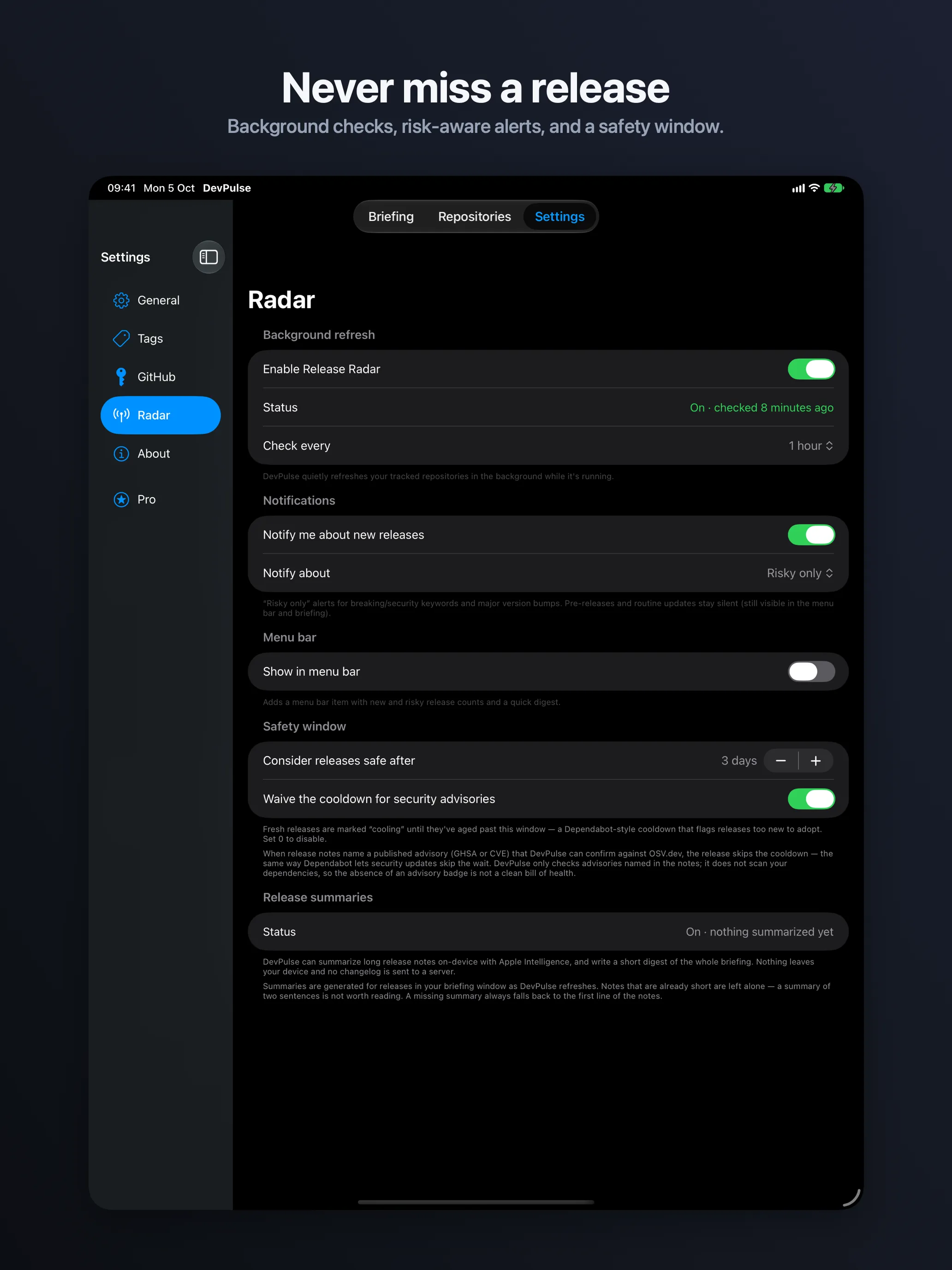
Fresh releases sit as cooling for a few days. Dependabot-style patience, built in.
What it won't say
"Your repositories are secure." It has no way to know that, so it doesn't claim it.

05 · Built for AI agents
Your agent can ask what version you're on.
Pro on the Mac runs a local MCP server, so Claude Code, Claude Desktop, Cursor and anything else speaking MCP can query your version history, generate a changelog between two versions, or pull the briefing. Localhost only, off until you turn it on, bearer-token protected.
{
  "mcpServers": {
    "devpulse": {
      "url": "http://127.0.0.1:8787/mcp",
      "headers": {
        "Authorization": "Bearer dp_••••••••"
      }
    }
  }
}
Copy the endpoint and token from Settings → MCP Server. DevPulse generates the token and stores it in the macOS Keychain.
Tools exposed
-
list_repositorieseverything you track -
get_version_historyordered, with notes -
get_changelogbetween any two versions -
get_release_briefingthe risk-grouped window -
add_repositoryfrom a URL -
refresh_repositorycheck now
- Localhost only
- Off by default
- Token protected
- Mac · Pro

06 · Providers
Three providers, one list.
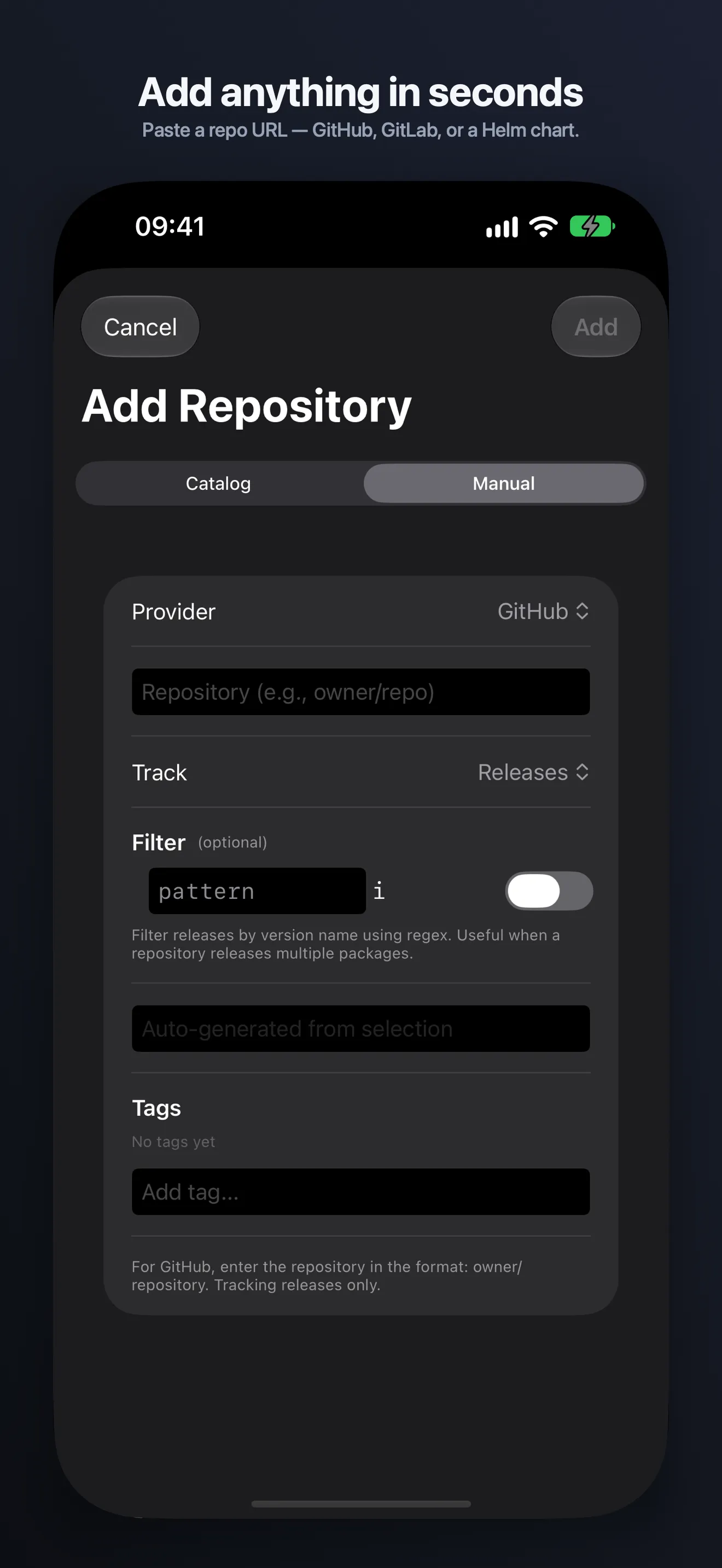
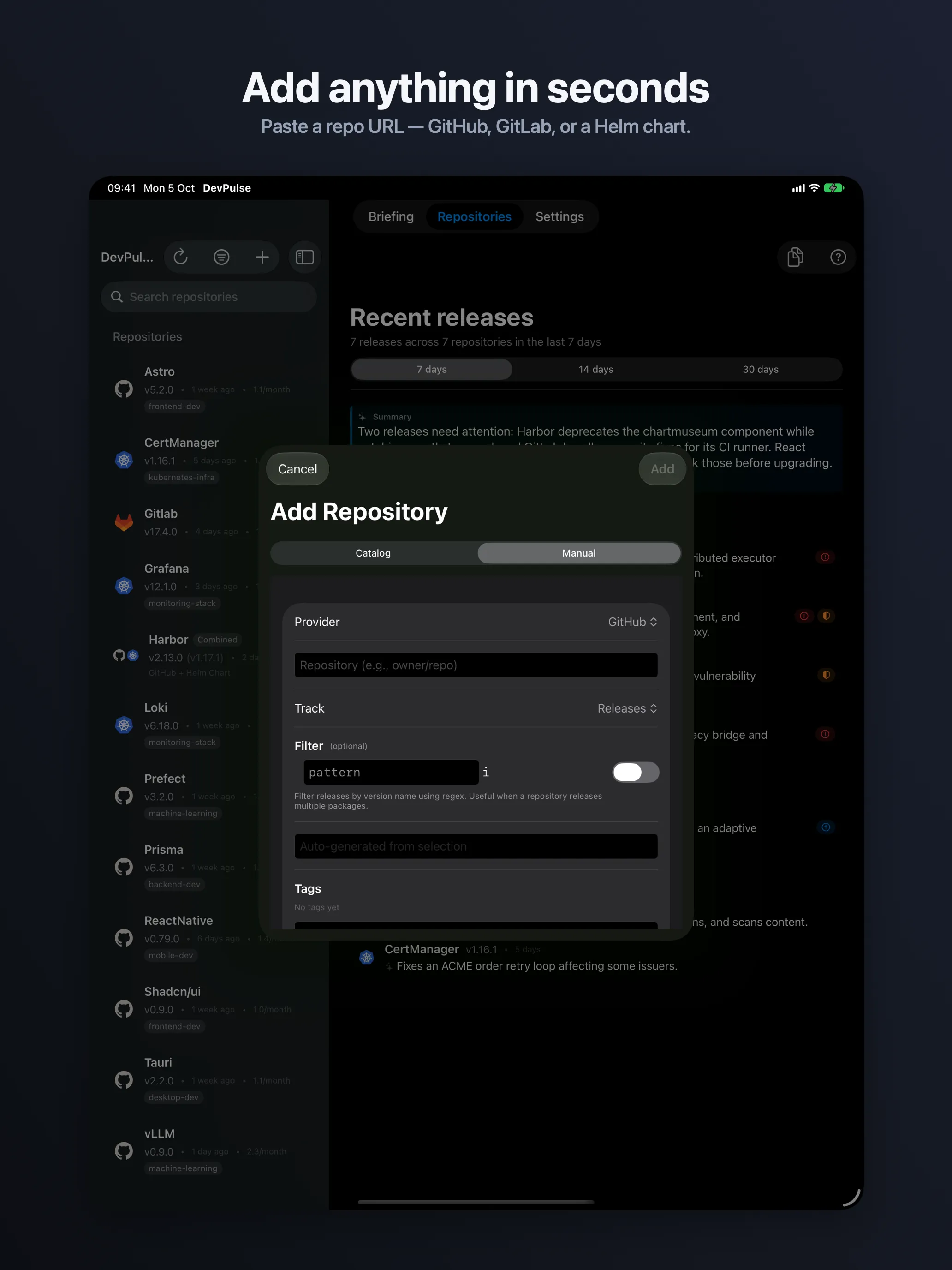
Paste a URL or type owner/repo. Choose
what counts as a release per repository, and combine a project with its Helm chart into one entry that
refreshes each side independently.
github.com/vllm-project/vllm
gitlab.com/gitlab-org/gitlab
charts.jetstack.io
-
GitHub
- RELEASES what maintainers publish
- TAGS every version, no exceptions
-
GitLab
- RELEASES when they're public
- TAGS for members-only releases
-
Helm
The wedge- CHART REPO charts auto-discovered
For platform and SRE teams: chart versions tracked beside the project they deploy.

07 · Every Apple device
Your list arrives. Nothing to set up.
Repositories, briefing window and version history sync over your own iCloud. There is no DevPulse account, because there is no DevPulse server.
- macOS 26
- iOS & iPadOS 26
- Separate downloads · one purchase
Mac


iPhone
iPad
08 · Privacy
Nothing is collected.
- Analytics
- NONE
- Third-party SDKs
- NONE
- Account required
- NO
- Repository list
- LOCAL + YOUR ICLOUD
Your repository list lives on your device and, if you want it to, in your own iCloud. DevPulse reads public APIs and caches the responses to stay friendly to rate limits. Changelogs you export go where you send them and nowhere else.

09 · Pricing
$4.99, once, for three platforms.
No subscription. One purchase unlocks Pro on every Mac, iPhone and iPad signed into your Apple ID.
Free
$0- Up to 5 repositories
- 7-day briefing, grouped by risk
- Background check every 6 hours
- GitHub, GitLab and Helm · full history · iCloud sync
Pro
One-timeAll platforms
- Unlimited repositories
- On-device summaries
- 14- or 30-day briefing window
- Markdown changelog export
Mac only
- Native notifications
- Menu bar item
- Custom refresh intervals
- Local MCP server
Summaries require Apple Intelligence · MCP server is Mac-only and off by default

10 · FAQ
The honest answers.
- Does it need a GitHub token?
- No, it is optional. DevPulse uses public APIs and caches responses to stay inside rate limits, with no sign-in step. A GitHub personal access token, saved in Settings on each device, raises GitHub's rate limit from 60 to 5,000 requests an hour.
- Can I track a private repository?
- On GitHub, yes: save a personal access token with the repo scope in Settings. GitLab projects and Helm chart repos have to be publicly reachable. For GitLab projects that restrict Releases to members, switch that entry to Tags.
- Does it work without Apple Intelligence?
- Yes. Grouping, severity badges, semver ordering and history all work. You lose the one-line summaries and the window digest, and read the notes yourself.
- Is the MCP server safe to turn on?
- It binds to localhost, requires a bearer token, and stays off until you enable it in Settings. It serves your version history and changelogs — nothing else, and nothing leaves the machine.
- Does a badge mean a release is safe?
- A badge means an advisory named in the release notes was confirmed against OSV.dev. No badge means nothing was named — not that nothing exists. DevPulse won't tell you a release is clean.
- Do I pay twice for Mac and iPhone?
- No. They're separate downloads on the App Store, but one $4.99 purchase unlocks Pro on Mac, iPhone and iPad under the same Apple ID.